Turn your phone or keyboard into a control centre for your computer
Build powerful dashboards and trigger anything on your desktop - shortcuts, scripts, apps, and more - from your physical keyboard or a mobile-friendly grid of buttons.
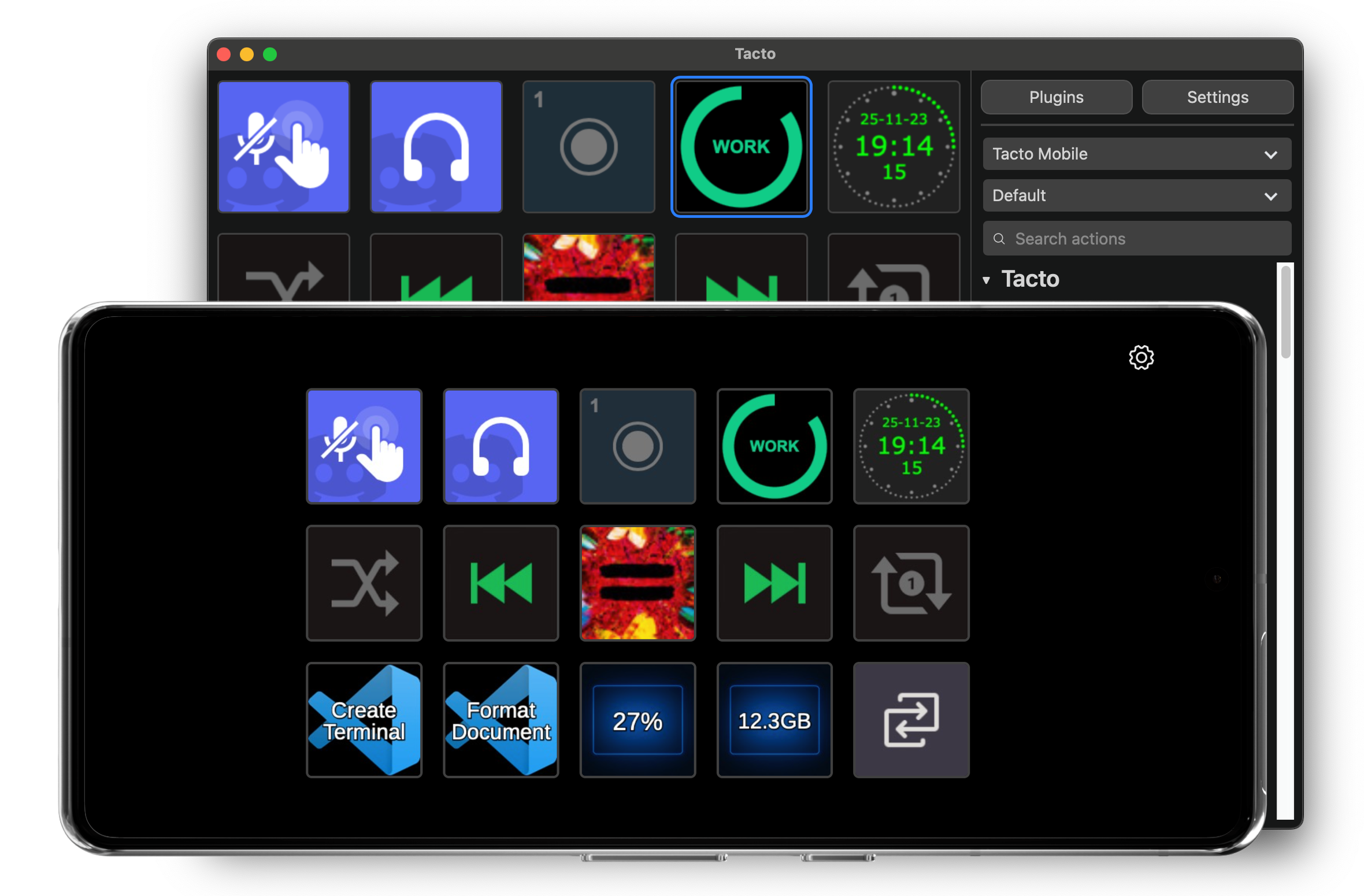
Design custom layouts for apps, shortcuts, scripts, media, scenes, and more.
Stream Deck plugin compatibility
Use many existing Stream Deck plugins right from within Tacto. Compatibility varies by plugin.
Works with Bitfocus Companion
Tie your Companion workflows into Tacto actions using the Companion Button plugin for live production, macros, and show control.
Works with Raycast
Trigger Raycast commands and scripts from your mobile grid or using keyboard shortcuts using the Raycast plugin for Tacto.
Half the price
Get pro-grade control for half the price of Elgato's Stream Deck Mobile.
Runs everywhere
Android or any device with a web browser on the controller side. On desktop, Tacto runs on Windows, macOS, and Linux.
Installable PWA
Add Tacto to your home screen for a native experience with full-screen layout, wake lock, and quick access.
Get started
Install Tacto Desktop
Download the desktop app for Windows, macOS, or Linux.
Download desktopOpen Tacto on your device
Use any phone, tablet, or browser to open the Tacto app and connect.
Open the appCreate your control surface
Lay out buttons, bind actions, and mix keyboard and touch-powered controls to fit your workflow.
Why creators and power users choose Tacto
- Keyboard and mobile control in one tool.
- Button grids, pages, and profiles for different workflows.
- Fast pairing and encrypted device-to-desktop connection.
- Works great alongside OBS, code editors, home automation, and more.
- Leverages a wide ecosystem of existing Stream Deck plugins.
- Bitfocus Companion and Raycast integrations for advanced automation.
Note: Plugin compatibility may vary by plugin. See Terms for details.